Tested in an AI-assisted isolated Linux workspace. Not yet independently rerun on Romeo’s own host. Evidence and review policy.
01. Decide what you are verifying
A release process needs to answer two different questions: “Are these the same bytes?” and “Do these bytes come from a build I trust?” This experiment handles the first question. It complements the pipeline foundations guide with a failure you can reproduce locally.
The lab writes a tiny release file, records its SHA-256 hash, changes the file, and compares the changed bytes with that recorded value. It then restores the original content and repeats the comparison. No software is deployed.
02. Run both the success and failure paths
Use the same lab bundle as part two of the series. Read the source first, then run:
python3 run_lab.py --config config.jsonLook for [02 | verify the release artifact] in the output. The approved bytes are the UTF-8 text TechStepNotes release-v1 followed by a newline. The failing version adds a second line. The script asserts that the changed version is rejected and that the restored version matches.
You can inspect a saved file manually with sha256sum release.txt on a typical Linux host. The script uses Python’s hashlib.sha256 so the exercise needs no extra command-line package.
03. Inspect the actual output
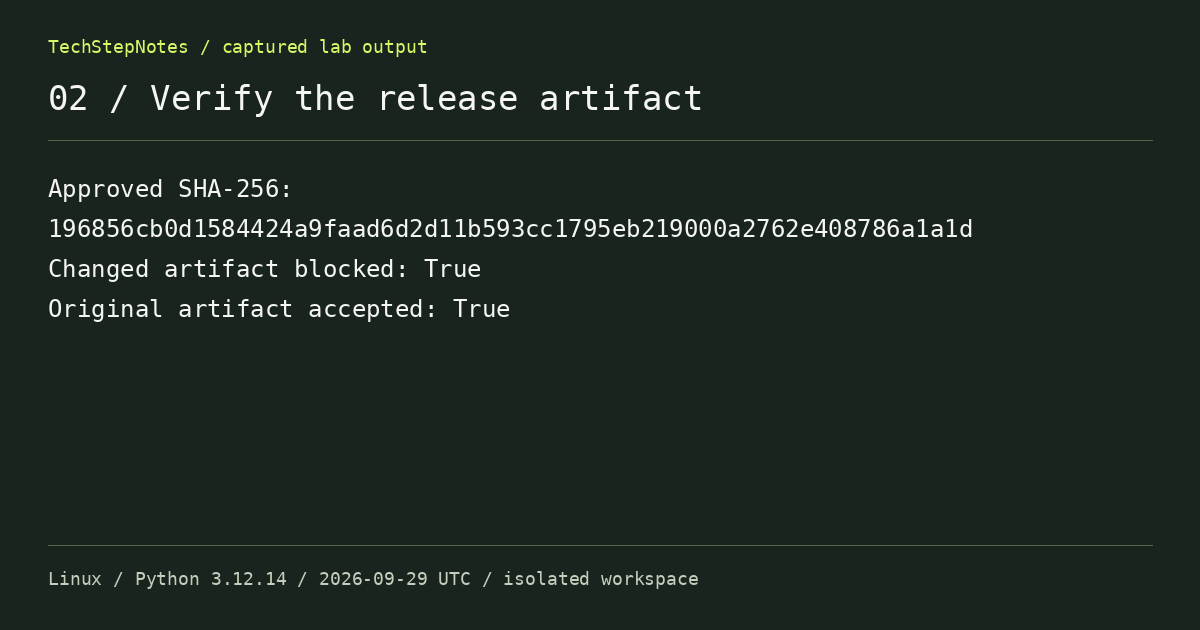
Approved SHA-256:
196856cb0d1584424a9faad6d2d11b593cc1795eb219000a2762e408786a1a1d
Changed artifact blocked: True
Original artifact accepted: True
This is captured workspace output, not an example invented to look like a successful build. The temporary files are removed at the end of the run; the source, configuration, and full transcript remain available in the download.
The intentional corruption was the useful part of the test. A comparison that only ever sees matching files would not demonstrate that the rejection path is connected.
04. Protect the reference value
If an attacker or a faulty process can change both the artifact and the hash record, a matching comparison tells you very little about origin. In a real pipeline, retain the approved digest with the build identity and commit in a protected system. Use the signing or attestation mechanism appropriate to your build platform when you need provenance.
A hash does not establish that the application works, that a dependency is safe, or that the release is authorized. It is one check with a specific scope. Avoid calling a package “verified” without stating which checks passed.
Lesson from the failure: verify the bytes that will be promoted. Rebuilding later can produce different output even when the source commit has not changed.
05. Put the exercise in a pipeline
The bundle includes an example .gitlab-ci.yml that runs this lab and retains its transcript. It has no deployment step. It has not been executed against a live GitLab runner in this workspace, so validate your runner eligibility, image policy, and paths before using it.
Next, reject an unhealthy release and roll back. That experiment shows why a valid checksum and an HTTP 200 response can still fall short of a healthy application.
Sources & further reading
Found a mistake or a different result? Send a correction with the article title and the environment you tested.